The Order Number field is the identifier provided to a specific order by the buyer. By default, this field is set to Mandatory. The user can input the minimum and maximum length which is the number of all characters – including the decimal point and the decimal places.
To change the variation of the fields – such as Mandatory, Enabled, and Ignorable – perform the following steps:
- Tick the box next to the variation.
- Click Save Changes.
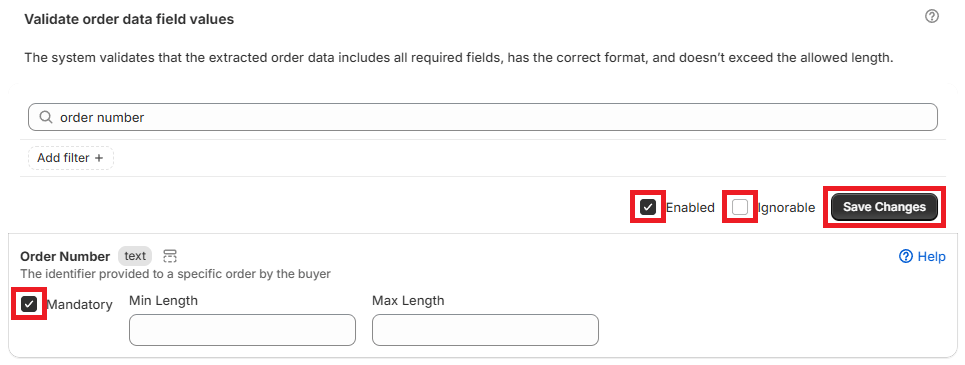
The different variations are as follows:
- Mandatory – the system will require the field/order data to be included
- Enabled – the business rule will be automatically applied to all orders processed by the App
- Ignorable – the variance will be flagged in an order, but the user can still export the order to draft
When an order number is not included in the purchase order submitted by the buyer, the Portalink™AnyOrder App will automatically generate the order number.
Modifying the Order Number
To edit the order number in the App, perform the following steps:
- Open the order in the Orders page.
- Click the pencil icon next to the field.
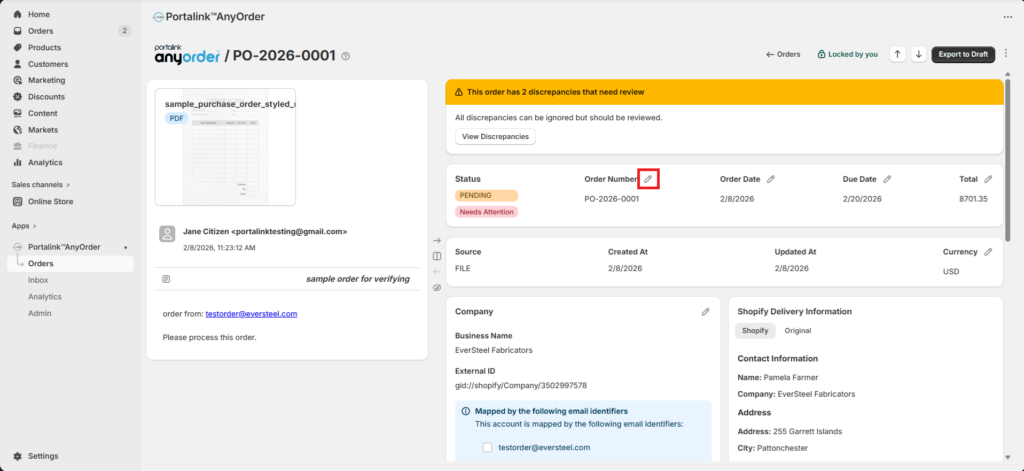
- Edit the information.
- Click Confirm Changes.
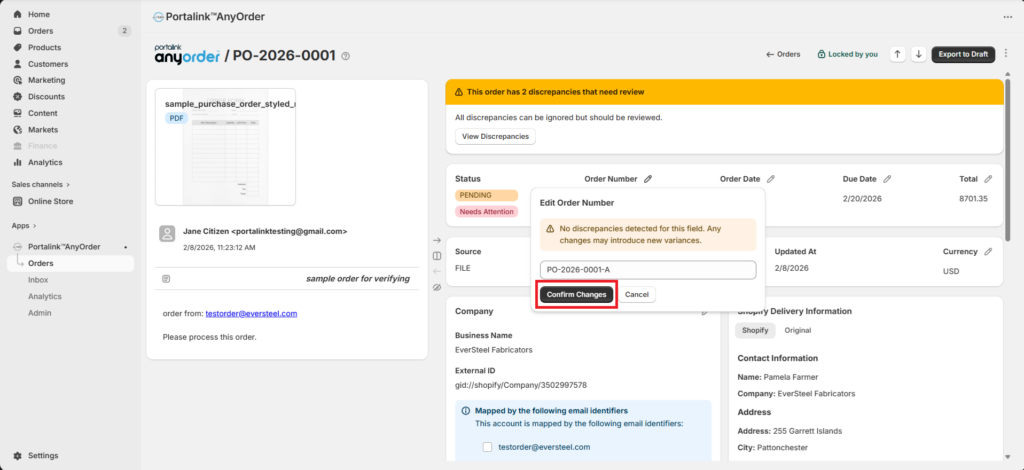
- Click Save.
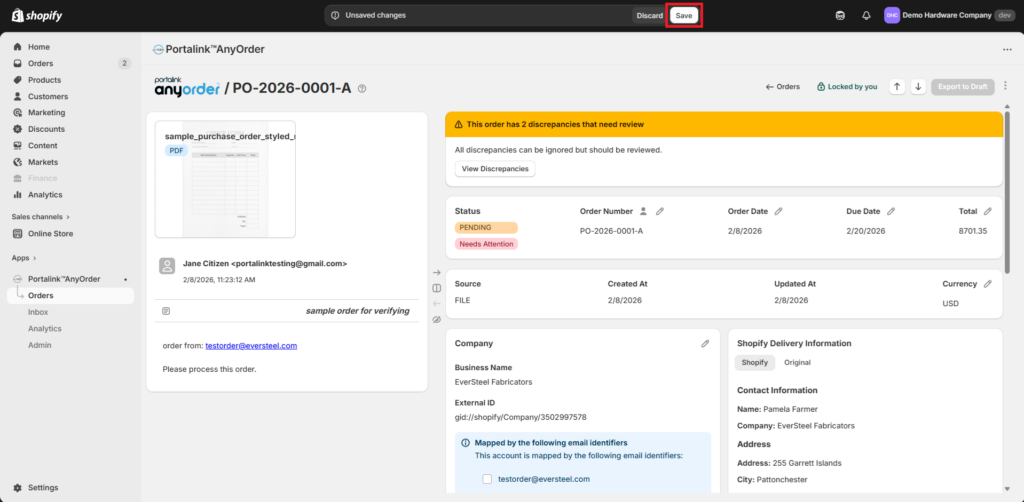
Note that the order must be locked by the user so the fields can be edited.
Related articles: Orders Page, Business Rules


