The Price field refers to the The price of the product or service for a single unit. The user can input the minimum and maximum length, which is the number of all characters in a string. The user can also input the minimum and maximum value for the field.
To change the variation of the fields – such as Mandatory, Enabled, and Ignorable – perform the following steps:
- Tick the box next to the variation.
- Click Save Changes.
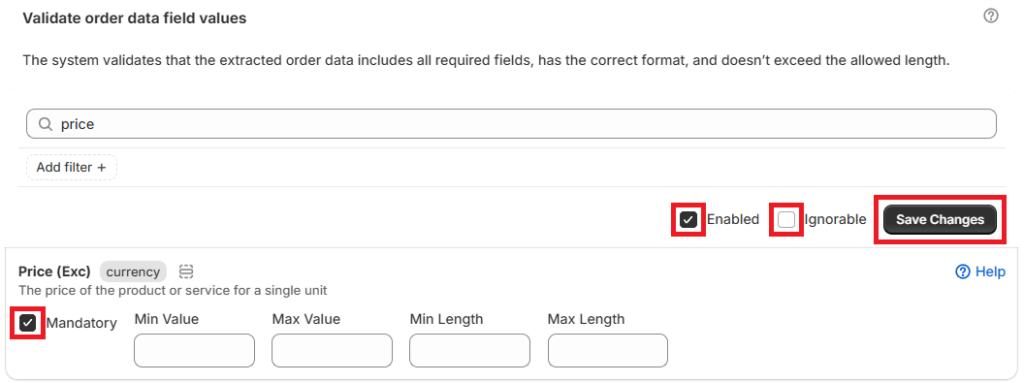
The different variations are as follows:
- Mandatory – the system will require the field/order data to be included
- Enabled – the business rule will be automatically applied to all orders processed by the App
- Ignorable – the variance will be flagged in an order, but the user can still export the order to draft
Related article: Business Rules


